
Search Clarksville Public Records
Clarksville public records are split between city offices and Montgomery County offices, so the best search begins with the place that created or keeps the file. The city portal is the main front door for agenda items, minutes, account tools, and municipal record requests. Police records, court files, and county filings may live elsewhere, so a clean search usually moves from the city site to the county clerk or court clerk as needed. That is normal for a Tennessee city this size, and it keeps the request focused on the right custodian.
Clarksville Quick Facts
Clarksville Public Records Overview
The City of Clarksville runs municipal services under Mayor Joe Pitts and a 12-member City Council. The city portal at cityofclarksville.com gives residents a Common Topics & Services section, website account tools for notifications and form progress, an Agenda & Minutes portal, and a calendar widget for meetings and events. That makes the city site the main starting point for many Clarksville public records searches because it shows where the city keeps its own paper trail.
Clarksville also uses more than one meeting location. City Hall sits at One Public Square, and the Regional Planning Commission is at 329 Main Street. That matters when you are trying to match a meeting record, a planning file, or a city agenda item to the right office. Public records requests are accepted through the city website, and the Tennessee Public Records Act still governs the request. So the city page is not just a news page. It is the link between the public and the city custodian.
The main city portal at cityofclarksville.com is the best first stop for Clarksville public records and city service links.
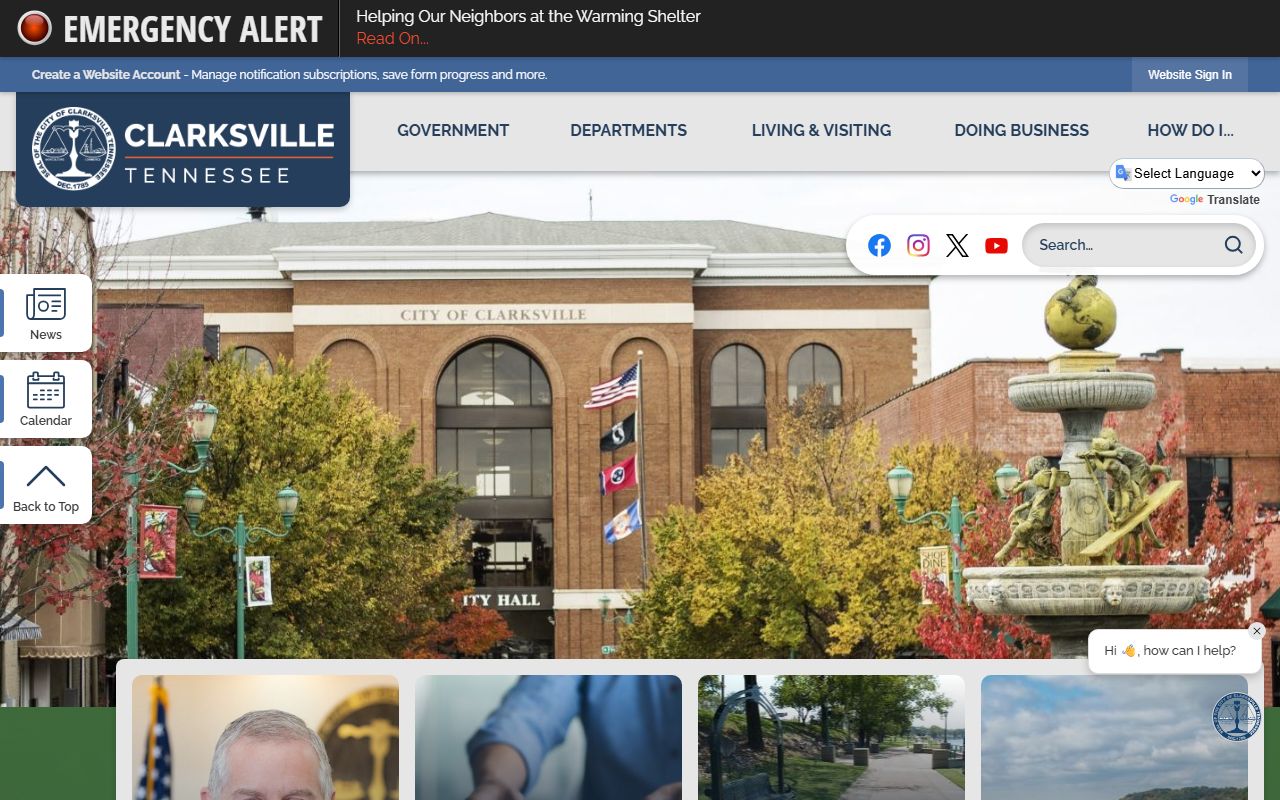
That page helps you move from a general city question to the department that actually holds the record.
Clarksville Public Records Search
A good Clarksville public records search starts with the record type. For city council minutes or agenda packets, use the city portal first. For police reports, use the Police Department records path. For county court files, marriage work, or recorded property documents, Montgomery County offices are usually the correct source. That simple split keeps a request from going to the wrong desk.
The city account feature is useful because it helps residents track notifications and form progress. The Agenda & Minutes portal is just as useful when you need a record of city action. Those tools matter for people following planning decisions, council votes, or neighborhood issues. If you need a paper copy or formal request response, the city site gives you the route to the right office instead of making you guess.
For police records, the Clarksville Police Department handles incident and accident report requests. The department accepts requests in person or by mail, and the Tennessee Public Records Act still controls release. Accident reports can also come through the state crash system, which is often faster when the file is already closed and indexed. That is the right path when your search begins with a wreck, a case number, or an officer contact reference.
Clarksville residents who need county files should also use the Montgomery County Clerk at mctx.org/departments/departments_a_-_c/county_clerk/ and the Montgomery County Circuit Court Clerk online system at montgomery.tncrtinfo.com/Default.aspx. Those are the right follow-up offices when the city portal does not hold the record itself.
Clarksville Public Records Offices
Clarksville public records are not stored in one place. The city handles its own records. The police department handles law-enforcement reports. Montgomery County handles county court, land, license, and certificate work. The city and county together make up the full record trail for many residents.
| City of Clarksville | Handles municipal records, agenda packets, minutes, notifications, and general city requests. |
|---|---|
| Clarksville Police Department | Handles incident and accident report requests and public police records. |
| Montgomery County Clerk | Useful for licenses, certificates, vehicle work, and other county records used by Clarksville residents. |
| Montgomery County Circuit Court Clerk | Provides free online access to basic civil and criminal court record information. |
| TSLA | Helpful for older records, historical court material, and county research that reaches beyond city files. |
That map keeps the search practical. City records stay with the city. Court records stay with the court. Property and license records often stay with county offices. If you match the office to the file, Clarksville public records become much easier to find.
Clarksville Public Records and County Help
Montgomery County offices matter a lot in Clarksville. The County Clerk handles marriage licenses, business licenses, vehicle registration, passports, and birth and death certificates with proper ID. Most official public records begin in 1936, and records include deeds, land patent records, judgments, tax liens, and mortgages. Copy requests often take 24 to 72 hours. That means a city search can quickly turn into a county request once you move past the municipal side.
The Circuit Court Clerk runs the county's free online court records search system. That system covers criminal and civil records and gives basic case details such as charges, court dates, case status, and outcomes. Circuit Court handles felonies, larger civil matters, and appeals. General Sessions handles misdemeanors and smaller civil cases. If your Clarksville search turns into a court question, the county clerk and court search tools are the right next step.
Because Clarksville sits in Montgomery County, many records that seem like city records at first are actually county records. That is true for some deeds, court files, and certificates. The city portal gets you started, but the county offices often finish the search. That split is why a Clarksville public records request works best when you know whether the record was created by the city or by the county.
Note: Some county records require photo ID, written requests, or a short processing delay, so confirm the office page before you go.
Clarksville Public Records Help
If a Clarksville request needs a state backup, the Tennessee Comptroller public records page at comptroller.tn.gov/about-us/public-records-requests.html explains how to frame a clean records request and who handles it. The Office of Open Records Counsel can also help identify the right custodian. That is useful when city and county records overlap or when the request is broad enough to need a better target.
The Tennessee Public Records Act sections on access, fees, and request rules still control the basics. Under T.C.A. § 10-7-503 and the related sections, the office can inspect, copy, or deny with explanation depending on the record and the law. That is why a city request, a county request, and a court request often look similar but still need different custodians.
For old city or county material, the Tennessee State Library and Archives can help with historical records and archived minutes. For higher court context, the Tennessee courts public case history portal is the better state source.
Clarksville Public Records Tips
These simple checks help most Clarksville searches:
- Start with the city portal for municipal records and meeting material.
- Use the police records division for closed incident or accident reports.
- Move to Montgomery County when the record is a court file, deed, or certificate.
- Add dates, names, and case numbers to narrow the search.
- Confirm whether the office wants a written request, email, or in-person visit.
That approach is the fastest way to find Clarksville public records without sending the request to the wrong desk. City first, county second, state backup if needed.